플러터 버튼으로 사진 넘기는 갤러리 만들기
2022. 5. 2. 21:36ㆍFlutter 플러터/플러터 공부기록
1. 전체코드
import 'package:flutter/material.dart';

void main() {
  runApp(const MyApp());
}

class MyApp extends StatelessWidget {
  const MyApp({Key? key}) : super(key: key);

  // This widget is the root of your application.
  @override
  Widget build(BuildContext context) {
    return MaterialApp(
      title: 'Flutter Demo',
      theme: ThemeData(
        primarySwatch: Colors.blue,
      ),
      home: const MyHomePage(),
    );
  }
}

class MyHomePage extends StatefulWidget {
  const MyHomePage({ Key? key }) : super(key: key);

  @override
  State<MyHomePage> createState() => _MyHomePageState();
}

class _MyHomePageState extends State<MyHomePage> {
  late List imageFile;
  late int currentPage;

  //2. init
  @override
  void initState(){
    super.initState();
    imageFile = ['flower_01.png','flower_02.png','flower_03.png','flower_04.png','flower_05.png','flower_06.png',];
    currentPage =0;
  }
  @override
  Widget build(BuildContext context) {
    return Scaffold(
      appBar: AppBar(
        title :const Text('dd'),
        backgroundColor: Colors.lime,
        centerTitle: true,
      ),

      body : Padding(
        padding: const EdgeInsets.all(20.0),
        child: Center(
          child: Column(
            mainAxisAlignment: MainAxisAlignment.center,
            children: [
              Text(
                imageFile[currentPage],
                style : const TextStyle(
                  fontWeight: FontWeight.bold,
                  fontSize : 20,
                ),
                ),
                Image.asset(
                  'images/${imageFile[currentPage]}',
                  width : 400,
                  height : 600,
                ),

                Row(
                  mainAxisAlignment: MainAxisAlignment.center,
                  children: [
                    ElevatedButton(
                      onPressed: (){
                        setState(() {
                         prevButton();

                        });
                      },
                      child: const Text('<<이전'),
                    ),
                    ElevatedButton(
                      onPressed: (){
                        setState(() {
                         nextButton();
                        });
                      },
                      child: const Text('다음>>'),
                    ),
                  ],
                ),
            ],
          ),
        ),
      ),
    );
  }
  nextButton(){
    currentPage++;
    if(currentPage >= imageFile.length){
      currentPage = 0;
    }
  }
  prevButton(){
    currentPage--;
    if(currentPage <0){
      currentPage = imageFile.length -1;
    }
  }
}
2. 실행화면
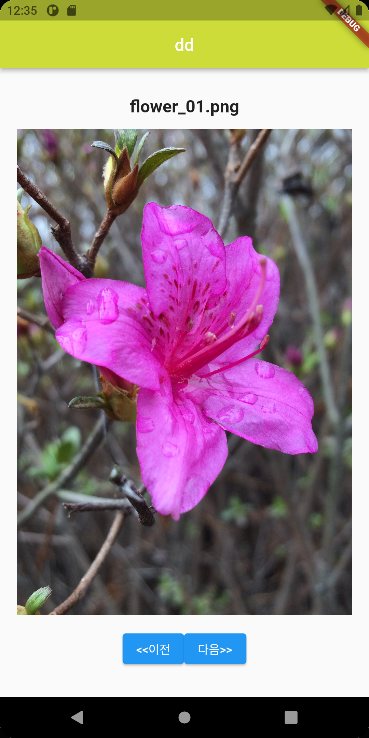
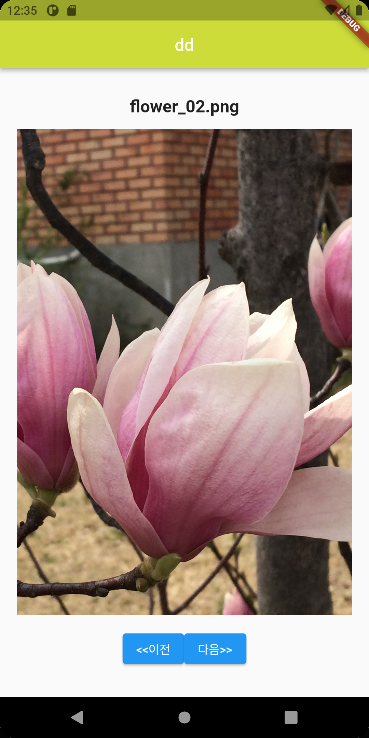
'Flutter 플러터 > 플러터 공부기록' 카테고리의 다른 글
| flutter theme 플러터 테마로 아이콘 색 변경, 앱바 색 바꾸기 (0) | 2022.07.10 |
|---|---|
| 플러터 flutter listview.builder로 한번에 목록 구현 (0) | 2022.04.28 |
| 플러터 Flutter 키보드 구현하고 입력된 값 팝업으로 띄우기 (0) | 2022.04.26 |
| 플러터 Flutter Stateful widget 예제 (코드 설명 포함) (0) | 2022.04.26 |
| [플러터구현2] 플러터로 프로필 만들기 Drawer, UserAccountsDrawerHeader, ListTile 활용 (코드 설명 포함) (0) | 2022.04.21 |