2022. 6. 11. 10:09ㆍ카테고리 없음
1. how to inherit the parent's width and height from the parent layout to chlid button?
there are a lot of buttons inside of the linear layout, and i want to fit the button size to layout
<LinearLayout
    android:layout_width="400dp"
    android:layout_height="60dp"
    android:orientation="horizontal"
    tools:layout_editor_absoluteX="1dp"
    tools:layout_editor_absoluteY="365dp">

    <Button
        android:id="@+id/button17"

        android:layout_width="330dp"
        android:layout_height="38dp"
        android:text="calculate" />
</LinearLayout>
2. how to align the items inside of linear layout
android : align?
want to align the buttons at the. center with same space.
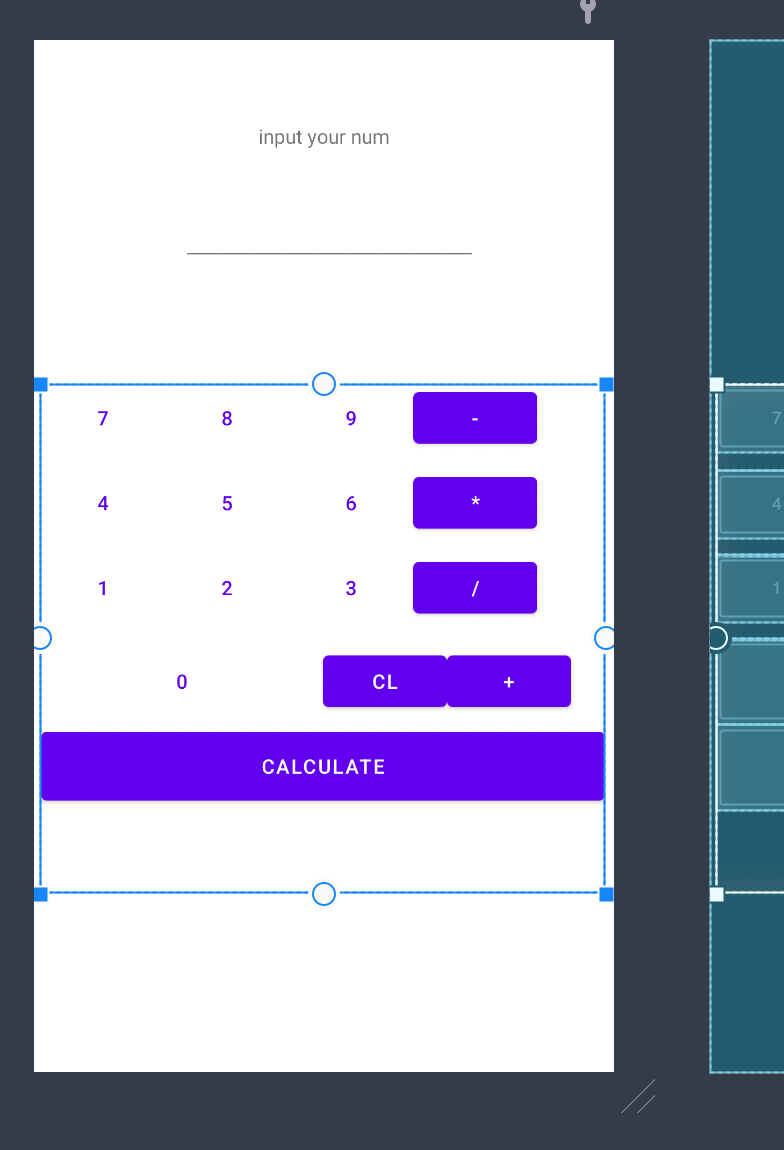
Q3. how to designate the ratio of each button?
ex. number 0 button should be two times of other numbers
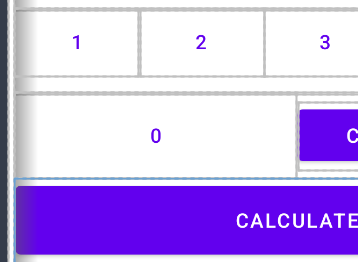
A3. by using the weight
https://m.blog.naver.com/impressives2/221491420473
Q4. margin?
android:layout_margin="2dp"Q5. function : how to save the input data
if the button of numbers are clicked, we should save the data until the calculating button is clicked. Thus, i thought it is impossible to embed the calculator without using stack. *linked list or array form
A5. use onclickEventListner or
do not recommended to use onclick
1) define method in mainActivity class
(1) use toast to show the pop up message
Toast.makeText(this, "Button is clicked", Toast.LENGTH_LONG).show()
2) use it on xml file with OnClickEventListner